It can be super frustrating when your microwave suddenly stops working, especially when you’re hungry! Figuring out why microwave keeps shutting off can seem like a puzzle, but don’t worry. This is a common issue, and with a little guidance, you can usually solve it yourself. We’re going to break down the most likely reasons this happens and offer easy-to-follow steps to get your microwave back to heating your food. Get ready to explore the common causes and learn how to fix them!
Key Takeaways
- Learn about the most common causes of a microwave shutting off.
- Discover how to safely check your microwave for problems.
- Find out how to reset your microwave’s circuit breaker.
- Understand how to test the outlet where your microwave plugs in.
- Get advice on when to call a professional for repairs.
- Explore simple fixes you can try at home.
Common Reasons Your Microwave Shuts Off
A microwave is a kitchen workhorse, but like any appliance, it can run into problems. Several things can cause your microwave to suddenly stop working. These issues range from simple fixes, like resetting a circuit breaker, to more complicated internal problems. Often, the cause is an electrical issue, but it could also be a problem with the microwave itself. It’s important to approach troubleshooting step-by-step, starting with the easiest solutions.
Power Supply Issues
One of the first things to check when your microwave isn’t working is the power supply. This is a common area for problems, and it’s also usually the easiest to fix. You might be surprised how often a simple power issue is the culprit. Inspect the cord and the outlet carefully. Loose connections or a tripped breaker can quickly stop your microwave.
- Check the Outlet: Make sure the microwave is securely plugged into a working outlet. A loose connection can cause interruptions.
- Inspect the Power Cord: Look for any visible damage to the power cord, such as cuts, frays, or burns.
- Test Another Appliance: Plug another appliance, like a lamp or a phone charger, into the same outlet to verify that the outlet is working.
Sometimes, the problem is as simple as a loose plug. Wiggle the plug gently to see if it makes a difference. If it does, the outlet may need repair.
Damaged cords can be dangerous. If you see any damage, it’s best to
If the other appliance doesn’t work, the outlet itself is the problem. If it does, the issue is likely with the microwave. Sometimes, outlets get worn out, or the internal wiring gets damaged.
Circuit Breaker and Fuse Problems
Your microwave is protected by a circuit breaker or a fuse, which acts like a safety device. It stops the flow of electricity if there’s an overload. If your microwave keeps shutting off, the breaker might be tripping, meaning it has detected a problem. This is a protection mechanism to prevent damage to your appliance and your home’s electrical system.
- Locate the Circuit Breaker Panel: Find your home’s circuit breaker panel, usually in a basement, garage, or utility closet.
- Identify the Microwave Breaker: Look for the breaker that controls the outlet your microwave is plugged into. It’s often labeled.
- Reset the Breaker: If the breaker has tripped (the switch is in the middle position), flip it fully to the OFF position, and then back to ON.
- Check the Fuse: Some older microwaves have fuses. If your microwave has a fuse, inspect it for a break or a blown wire.
Familiarize yourself with the location of your electrical panel. Keep your panel area free from obstructions to allow easy access in case of electrical problems.
If you’re unsure which breaker it is, you might need to test them one by one. Turn off the breaker, and see if the microwave loses power. If it does, that’s the one.
Sometimes, simply resetting the breaker solves the issue. However, if the breaker trips again immediately, there’s likely an electrical overload or a short circuit. If the breaker trips again, it’s important to find the source of the short circuit, or your microwave will keep shutting off. In that case, you may need an electrician to help.
If the fuse is blown,
Overheating and Internal Component Issues
Sometimes, the problem lies within the microwave itself. Microwaves can overheat if used for extended periods or if there’s a problem with a component. If your microwave keeps shutting off after a short period of use, this could be the case. Many internal components can contribute to the issues. It can be something as simple as a faulty door switch to a more complex internal breakdown.
- Magnetron Failure: The magnetron is a key component that generates microwaves. If it’s failing, your microwave might shut off.
- Door Switch Problems: Microwaves have door switches that ensure the microwave stops working when the door is opened. A faulty switch can cause the unit to shut off unexpectedly.
- Capacitor Issues: The capacitor stores high voltage and can be dangerous. A failing capacitor might cause the microwave to malfunction and shut off.
- Ventilation Problems: If the microwave is not properly ventilated, it can overheat and shut down.
A failing magnetron can cause the microwave to stop heating food properly or even shut off completely. The magnetron can wear out over time. Replacing the magnetron is often a job for a professional repair service.
The door switch is a safety feature. If it malfunctions, the microwave may think the door is open, and it will shut down. These switches can wear out and need replacing. You can test them with a multimeter (if you know how) or have a technician check them.
Capacitors are essential components. A bad capacitor can lead to electrical issues and cause the microwave to stop working. If you suspect a capacitor problem, it’s best to have a qualified technician handle the repair.
Ensure the microwave has enough space around it. Make sure the vents on the side or back of the microwave are free from obstruction. Overheating will cause a microwave to cut out.
Usage Habits and Food-Related Issues
Sometimes, the way you use your microwave can contribute to it shutting off. Overloading the microwave with too much food or using inappropriate containers can cause problems. It’s always useful to review how you are using the device. Following proper operating procedures can help reduce the possibility of your microwave keeps shutting off.
- Overloading: Putting too much food in the microwave can cause it to work harder and potentially shut off.
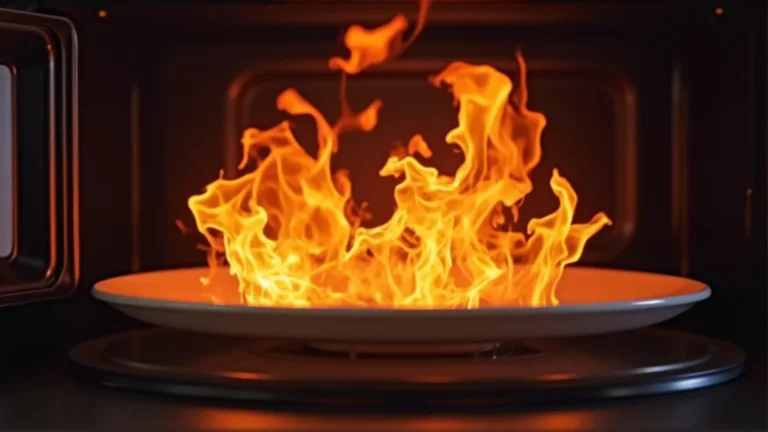
- Incorrect Containers: Using metal or non-microwave-safe containers can cause sparking and damage, leading to the microwave shutting off.
- Long Cooking Times: Running the microwave for extended periods can cause it to overheat and shut off.
- Food Splatters and Buildup: Food splatters can build up inside the microwave and interfere with the components.
Avoid overfilling your microwave. Microwaves are designed to cook food evenly, and overloading can prevent this. Follow the manufacturer’s instructions for the maximum recommended food capacity.
Always use microwave-safe containers. Avoid using metal, aluminum foil, or containers with metal trim. These materials can cause sparks and damage the microwave and it may stop working. Check the container label for the microwave-safe symbol.
If you need to cook food for a long time, consider using shorter bursts with cool-down periods in between. This helps prevent overheating. This will decrease the risk of your microwave keeps shutting off.
Regularly clean your microwave to prevent food buildup. This helps maintain the microwave’s performance and prevents potential electrical problems. Wipe up spills immediately and do a deep clean at least once a week.
Safety First: Important Precautions
Working with electrical appliances can be dangerous. Always prioritize safety when troubleshooting your microwave. Taking the right safety precautions minimizes the risks of damage or injury and keeps you safe. Keep these points in mind when you are troubleshooting why microwave keeps shutting off.
- Unplug the Microwave: Before inspecting or working on your microwave, always unplug it from the power outlet. This prevents any risk of electric shock.
- Avoid Touching High-Voltage Components: The microwave contains high-voltage capacitors that can store a charge even after the power is off.
- Use Proper Tools: If you are comfortable doing some basic electrical checks, use insulated tools.
- Do Not Bypass Safety Features: Never bypass the microwave’s safety features, such as the door switch.
Unplugging the microwave is a fundamental safety step. Never attempt to diagnose or repair a microwave without disconnecting it from the power source.
Do not attempt to open the microwave and touch internal components unless you have experience with electronics and are comfortable working with high voltages. If you are not qualified, it is best to contact a repair technician.
Using the correct tools will ensure you do not create any electrical hazards.
Bypassing these safety features can lead to serious injury. The safety devices are there to protect you.
Step-by-Step Troubleshooting Guide
Here’s a simple guide to help you troubleshoot your microwave. This checklist walks you through the steps to diagnose the issue safely. Follow this sequence when troubleshooting why microwave keeps shutting off.
- Check the Outlet: Ensure the microwave is plugged in securely and try plugging another appliance into the same outlet to confirm it’s working.
- Inspect the Cord: Look for any visible damage to the power cord, such as cuts or frays. If you find damage, replace the cord or call a professional.
- Reset the Breaker: Locate your home’s circuit breaker panel and identify the breaker that controls the microwave outlet. If it’s tripped, reset it.
- Examine the Door: Check if the door is closing properly. Ensure the door latches are engaging correctly.
- Look for Overheating Signs: If the microwave runs for a short time and then shuts off, let it cool down and try again.
- Check the Fuse: (If Applicable) Some microwaves have a fuse. Inspect the fuse for any damage and replace it if it’s blown, using a fuse of the same rating.
- Consider Calling a Professional: If you’ve tried these steps and the microwave still isn’t working, it’s time to call a qualified appliance repair technician.
If the outlet doesn’t work, there’s a problem with the electrical supply, and you need to address that.
A damaged cord can be dangerous, and the microwave will likely continue to shut off. If the cord is damaged, do not use the microwave.
If the breaker trips again immediately after resetting, there may be a short circuit. If that is the case, contact an electrician.
If the door doesn’t close properly, the microwave might not work. Examine the door seal. If the door seal is damaged, it may cause the microwave to stop working.
Sometimes, overheating can cause the microwave to shut down. If the issue keeps happening, it might need service.
Fuses are in place to safeguard the microwave. If it is blown, it will cause the microwave to shut off.
If you’re not comfortable working on electrical appliances, it’s best to have a professional handle it.
When to Call a Professional
While some problems are simple to fix, others require specialized knowledge. If you’ve tried the basic troubleshooting steps, and the microwave keeps shutting off, it’s time to consider calling a professional. Some repairs are best left to technicians who have the right training and tools. When to seek professional help is essential for your safety and to avoid causing further damage.
- Repeated Breaker Tripping: If the circuit breaker trips immediately after you reset it, there’s likely an internal electrical problem.
- Strange Noises or Smells: Any unusual noises, such as buzzing, or burning smells, indicate internal problems.
- Failure of Basic Troubleshooting: If you’ve gone through the basic steps, such as checking the outlet, cord, and door, and the microwave still doesn’t work, there may be a more complex internal problem.
- High-Voltage Component Issues: Working with high-voltage components like capacitors is dangerous.
This is a sign of a short circuit. Do not continue to use the microwave if you have this issue. Contact a repair service for assistance.
These could indicate that components are damaged. Turn off and unplug the appliance immediately. Contacting a repair service will assist in finding out the origin of the smells or sounds and fix it.
Often, it is best to contact the repair service because of the internal components. You can damage the appliance further without the knowledge and the proper tools.
If you suspect a problem with these components, do not attempt to repair the microwave yourself. These are dangerous components.
Preventive Maintenance to Keep Your Microwave Running
Regular maintenance can extend the life of your microwave and prevent problems. Small habits can make a big difference. Performing the appropriate maintenance can prevent issues. These practices can help you keep your microwave running efficiently and minimize the chances of it shutting off unexpectedly. Here are some easy steps.
- Regular Cleaning: Clean the inside and outside of your microwave regularly. Wipe up food splatters and spills immediately.
- Ventilation Check: Ensure the vents are clear and free from obstructions.
- Door and Seal Inspection: Check the door seal regularly for any damage. Ensure the door closes and latches correctly.
- Proper Use: Avoid overloading the microwave and always use microwave-safe containers.
- Cord and Outlet Inspection: Check the power cord and outlet for any signs of damage.
Regular cleaning prevents buildup and helps to keep the internal components working properly. Removing food particles will also improve the microwave’s performance.
Good ventilation prevents overheating. Ensure that the vents are clear from any obstruction. Overheating can cause your microwave to shut off unexpectedly.
Maintaining a good seal is important for efficient operation and safety. A damaged door can also lead to more problems.
Follow the manufacturer’s instructions for food placement and cooking times. Incorrect use is one of the more common reasons why microwave keeps shutting off.
Keep an eye on these components during your cleaning routines. If you have any concerns, you should have them checked immediately. Damaged wires could lead to problems, and you want to be proactive.
Frequently Asked Questions
Question: Why does my microwave keep shutting off after a few seconds?
Answer: It’s likely a power issue, overheating, or an internal component problem. Check the outlet, cord, and see if the breaker is tripped. If those check out, there might be something internal like a bad magnetron.
Question: Can I fix a microwave myself?
Answer: You can often fix simple issues like resetting the breaker or checking the outlet. However, more complex repairs involving internal components are best handled by a qualified technician.
Question: Why is my microwave sparking?
Answer: Sparking is usually caused by using metal containers, foil, or containers with metal trim. Also, food splatters can build up and cause sparking. Always use microwave-safe containers.
Question: What should I do if my microwave keeps tripping the circuit breaker?
Answer: If the breaker trips immediately after resetting, there may be an internal short circuit. Unplug the microwave immediately and call a professional for inspection and repair. It is a safety hazard.
Question: How often should I clean my microwave?
Answer: Clean your microwave regularly, preferably after each use, or at least a few times a week, to prevent food buildup and maintain its performance. Wipe up spills immediately and do a deeper clean weekly.
Final Thoughts
When your microwave suddenly stops working, it can be a nuisance. Understanding the reasons why microwave keeps shutting off, and knowing what steps to take can help you get it back up and running. Remember to start with the simple checks: ensure the power cord is plugged in securely, verify the outlet is working, and make sure the breaker hasn’t tripped. If those checks don’t solve the problem, you may need to go further and look for the other possible causes. From checking the door to finding problems with internal components, troubleshooting takes time and patience.
Remember, electrical appliances can be dangerous, so always prioritize your safety. If you’re not comfortable with the troubleshooting steps, especially if they involve the internal components of the microwave, don’t hesitate to call in a professional repair service. With a little care and attention, you can keep your microwave working smoothly for years to come. Now you are equipped with the information and skills to troubleshoot the most common problems. You are on the way to enjoying warm meals again!

I’m Emma J. Caldwell, the founder, lead writer, and home-cooking enthusiast behind KitchenGuideCo.com. With a background in culinary arts and over a decade of cooking experience in both professional and personal kitchens, I created this platform to demystify recipes, offer smart kitchen gadget reviews, and guide readers through meal prep with confidence and clarity.