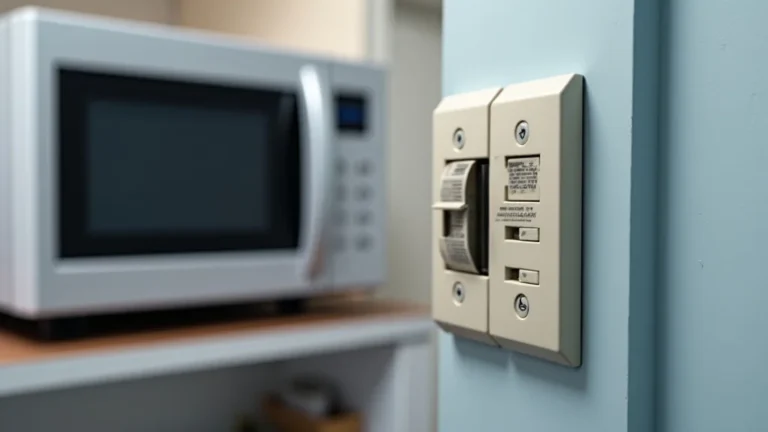
Having a broken microwave light is super common, and often people think it means a big, expensive problem. But don’t worry, figuring out how to fix microwave light is often much easier than you think! It might seem tricky at first, especially if you’re not used to electrical stuff. This post will walk you through a simple, step-by-step guide to get that light working again. We’ll break it down so even beginners can do it. Let’s get started and have your microwave lighting up again in no time!
Key Takeaways
- You can usually fix a microwave light yourself, saving money on repairs.
- The most common problem is a burned-out bulb, which is easy to replace.
- Safety is important, so you’ll need to unplug the microwave before working on it.
- You’ll learn about the different components of the light system and how they work.
- Troubleshooting is simple, helping you quickly identify the issue.
- Easy instructions make the repair process easy to follow.
Why Your Microwave Light Might Be Out
Microwave lights, like any appliance, can stop working for different reasons. The most frequent issue is a simple burned-out light bulb. These bulbs have a lifespan, and after a certain amount of time, they’ll just stop working. Other problems might include a faulty door switch, which tells the light to turn on when you open the door, or a broken socket that holds the bulb. Occasionally, there could be a problem with the wiring or the control board, which is a more complex issue. It’s important to remember that most issues are simple to fix without needing to purchase a new unit.
The Light Bulb: The Usual Suspect
The light bulb itself is the most common cause of a malfunctioning microwave light. These bulbs aren’t designed to last forever. They burn out over time due to heat and use. Microwaves often use special bulbs, designed to withstand high temperatures and vibrations. Replacing it is usually the first step to checking. Also, the type of bulb depends on the microwave’s model, but it’s usually easy to find a
- Bulb Burnout: The filament inside the bulb breaks, preventing it from producing light.
- Heat Damage: The constant heat generated inside the microwave can shorten the bulb’s lifespan.
- Vibration Issues: The opening and closing of the microwave door can cause vibrations that can damage the bulb.
The Door Switch: A Hidden Issue
The door switch is an important part of the microwave’s safety system, but it can also cause problems with the light. When you open the microwave door, the switch triggers the light to turn on. If the switch malfunctions, it may not send the signal to the light, even if the bulb itself is good. The switch can get stuck, damaged, or simply wear out over time. This makes the light stay on constantly or not turn on at all. Checking the door switch involves inspecting its physical condition and testing its electrical connections to make sure it functions correctly.
- Mechanical Failure: The switch’s internal components can break or get stuck.
- Electrical Problems: Wiring connecting the switch can become loose or damaged.
- Misalignment: The door might not be closing completely, not activating the switch.
Wiring Issues: The Less Common Cause
Wiring problems are less common but can occur in microwaves. This includes loose connections, damaged wires, or corrosion, which can disrupt the flow of electricity to the light. These problems can be difficult to spot, but a close visual inspection can reveal signs of wear and tear, such as exposed wires. The best method to fix wiring issues is usually by checking and reattaching any loose wires. More serious issues might require a
- Loose Connections: Wires can become detached or loosened over time.
- Damaged Wires: Wires can be cut, frayed, or burned.
- Corrosion: Moisture and heat can cause corrosion on the wiring.
Step-by-Step Guide on How to Fix Microwave Light
Now, let’s explore how to fix microwave light with a step-by-step approach. You can easily get your microwave working again with this guide! Remember, safety first! Always unplug your microwave before you start and never work on it while it’s plugged in. The process involves identifying the problem, removing the old bulb or parts, and installing new ones. We will go over everything you need to know to make the process easy and efficient, and make it simpler than it might seem.
Safety First: Preparing for the Repair
Before you get started, safety is the most important part of any repair. This is especially true when working with electrical appliances like a microwave. Electrical circuits can pose serious risks, so it’s always important to take precautions. The first and most important step is to unplug the microwave from the power outlet. This eliminates the risk of electric shock while you’re working. Then, make sure you have the proper tools, like a screwdriver, pliers, and possibly a multimeter to test the circuits. It’s a good idea to wear gloves to protect your hands and work in a well-lit area to see what you are doing.
- Unplug the Microwave: Disconnect it from the power outlet.
- Gather Tools: Have a screwdriver, pliers, and a multimeter ready.
- Wear Protective Gear: Use gloves to protect your hands.
Locating and Removing the Old Bulb
The next step is to locate and remove the old bulb. The bulb’s location varies depending on the microwave model, but it’s usually inside the microwave cavity. To find it, look for a small, clear cover on the top, side, or back of the microwave. Once you find the cover, carefully remove it. You may need a screwdriver to remove screws or simply use your hands. Once you see the bulb, carefully remove it. Depending on the model, it might screw in or just pop out. Make sure you know what type of bulb it is so you can buy the same one as a replacement.
- Find the Bulb Cover: Look inside the microwave for a small cover.
- Remove the Cover: Use a screwdriver to unscrew or carefully pop it off.
- Take Out the Old Bulb: Unscrew or gently pull out the old bulb.
Installing the New Light Bulb
After you remove the old bulb, it’s time to install the new one. Make sure you have the right type of
- Insert the New Bulb: Place the new bulb into the socket.
- Secure the Bulb: Screw it in or push it in gently until it’s secure.
- Replace the Cover: Put the cover back on and screw it in.
Testing the Light After the Fix
Once you’ve installed the new bulb, the last step is to test the light and see if it is working. Plug the microwave back into the power outlet. Now, open and close the microwave door to check if the light turns on and off as it should. If the light works, congratulations! You’ve successfully fixed your microwave light. If the light still doesn’t work, there could be another problem, such as a faulty door switch or wiring issue. In this case, you may need to check other components or seek professional help.
- Plug It In: Reconnect the microwave to the power supply.
- Open and Close the Door: Check if the light goes on and off.
- Assess the Results: If it works, you are done. If not, troubleshoot.
Troubleshooting Common Issues
Even after replacing the bulb, the microwave light might still not work. When the light still isn’t working, you’ll need to troubleshoot a bit more. This process helps you pinpoint the problem and find a solution. Common issues include a bad door switch, a blown fuse, or more complicated electrical problems. This will require some extra steps, like checking wiring and replacing specific parts. Having the right tools and knowing the basic functions of your microwave are very helpful during this process.
Checking the Door Switch
The door switch tells the light to turn on and off. If the light doesn’t work after replacing the bulb, the door switch could be the issue. You can check the switch by carefully inspecting it for physical damage. Look for any broken parts, loose connections, or signs of wear. You can also use a multimeter to test the switch. With the microwave unplugged, set the multimeter to the continuity setting, then open and close the door while placing the probes on the switch terminals. If the multimeter doesn’t show continuity when the door is closed, then the switch needs to be replaced.
- Inspect the Switch: Look for any signs of physical damage.
- Use a Multimeter: Test the switch for continuity.
Checking the Fuse
A blown fuse can also prevent the microwave light from working. The fuse acts as a safety device, protecting the microwave’s components from electrical surges. The fuse is usually located inside the microwave, often near the power cord. Unplug the microwave and carefully open the appliance. Find the fuse and inspect it. If it looks broken or the wire inside is snapped, then it has blown. You’ll need to
- Locate the Fuse: Check the microwave’s internal parts.
- Inspect the Fuse: Look for any breaks or damage.
When to Call a Professional
While many microwave light problems can be fixed at home, some issues may require professional help. If you’re not comfortable working with electrical components, it’s safer to call a professional. Also, if you’ve tried all the troubleshooting steps and the light still doesn’t work, there might be a more complex issue. Electrical issues can be dangerous if handled incorrectly. A professional can quickly diagnose and fix these problems with the right tools and expertise. Seeking professional help ensures your safety and keeps your microwave working correctly.
- Electrical Hazards: Wiring and electrical components.
- Complex Issues: Problems beyond simple bulb replacement.
- Safety First: If in doubt, call a professional.
Frequently Asked Questions
Question: What tools do I need to fix the microwave light?
Answer: You’ll typically need a screwdriver, pliers, a multimeter, and, of course, a replacement light bulb.
Question: Is it safe to replace a microwave light bulb?
Answer: Yes, it is safe as long as you unplug the microwave before starting any work.
Question: What should I do if the light still doesn’t work after changing the bulb?
Answer: Check the door switch and the fuse; if those are okay, it may be time to seek a professional.
Question: Where can I buy a replacement bulb?
Answer: Replacement bulbs are available at most hardware stores or online retailers.
Question: How do I know what type of bulb my microwave needs?
Answer: Check the existing bulb or the microwave’s manual for the correct specifications.
Final Thoughts
Learning how to fix microwave light can be a satisfying experience. You now know it is usually a straightforward process. You’ve learned about the common causes, like burnt-out bulbs, faulty door switches, or wiring problems. You also know the step-by-step instructions for troubleshooting and repair, including how to

I’m Emma J. Caldwell, the founder, lead writer, and home-cooking enthusiast behind KitchenGuideCo.com. With a background in culinary arts and over a decade of cooking experience in both professional and personal kitchens, I created this platform to demystify recipes, offer smart kitchen gadget reviews, and guide readers through meal prep with confidence and clarity.