A dishwasher that suddenly refuses to start can create stress in the middle of an already busy day. Many homeowners press the buttons repeatedly only to discover that the control panel is locked and cannot respond to any commands.
This situation often leads to confusion because the machine gives no clear explanation of what caused the lock in the first place.
Some dishwashers activate control locks automatically for safety, while others enable the lock when a button is held too long.
If you do not know how the feature works, the dishwasher can feel broken even when the machine is perfectly fine. The feeling becomes more frustrating when the buttons beep but nothing changes.
Understanding how to unlock the control panel gives you control over the appliance again. The method is simple once you know the right steps, and most models follow similar unlocking patterns.
By learning how the lock works, you can prevent future confusion and avoid unnecessary service calls.
This guide walks you through every detail, from why dishwashers lock the control panel to the exact unlocking steps for common brands.
The information is explained clearly so anyone can follow it confidently. By the end, you will know exactly how to unlock the control panel and restore normal operation.
Why Dishwasher Control Panels Get Locked
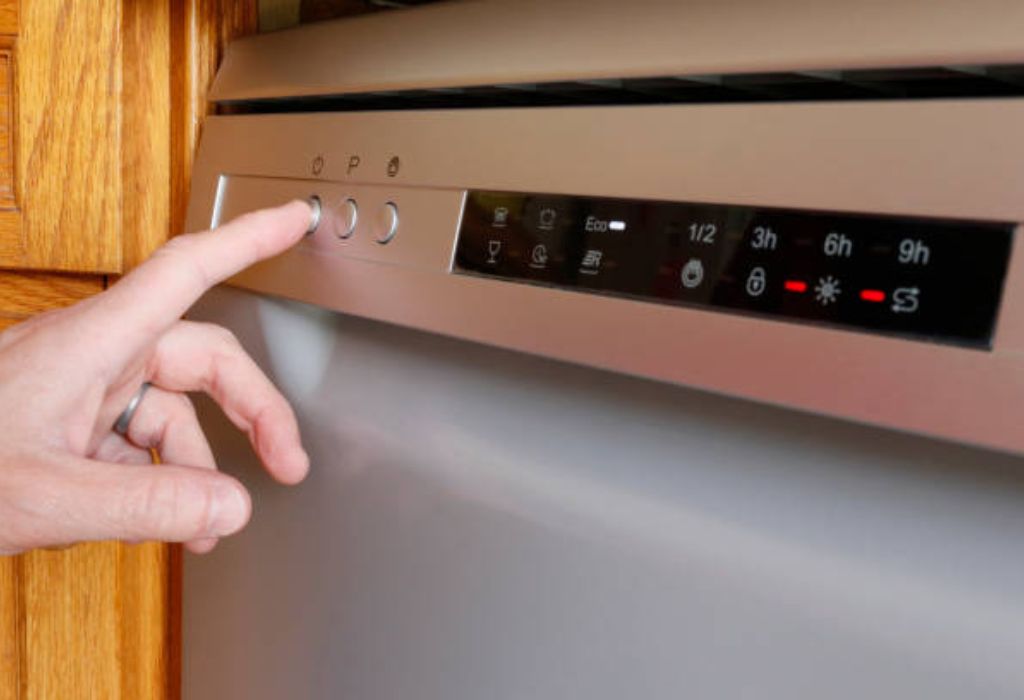
Dishwashers have control locks to prevent accidental button presses. These locks protect cycles from being interrupted, which helps avoid incomplete washes. If someone leans against the panel, the machine stays safe and stable.
Many dishwashers also use child lock features. These locks stop children from starting the machine or changing the settings unknowingly. The feature prevents accidents and keeps the dishwasher operating safely.
Some control panels lock automatically when moisture contacts the buttons. Steam from the dishwasher can create false touches. To prevent electrical issues, the system activates a lock temporarily.
Electrical glitches also trigger control panel locks. A short power fluctuation may confuse the control board. The dishwasher locks itself until the user resets it.
Certain brands use keypad lockouts when a button is held for too long. This is often unintentional. Homeowners frequently activate the lock without realizing it.
Dishwashers may also lock the panel if sensors detect errors. When a cycle cannot continue, the machine freezes controls until the issue is resolved. Unlocking the panel helps diagnose the cause.
Can You Unlock A Dishwasher Control Panel Yourself
Most dishwasher control locks can be unlocked at home without any special tools. Manufacturers design the lock so users can disable it quickly. This prevents unnecessary service calls for simple issues.
The standard method involves holding a specific button. Depending on the brand, this might be the Start button, Heated Dry button or a dedicated Control Lock key. Holding it for three to ten seconds usually unlocks the panel.
If the unlocking button is not labeled clearly, the user manual provides instructions. However, many people lose the manual over time. Fortunately, most brands follow similar steps.
Some dishwashers allow unlocking by resetting the power. Unplugging the unit for one minute clears temporary glitches. Once power returns, the control panel unlocks automatically.
Touch panels sometimes lock due to moisture. Wiping the panel and waiting a few minutes helps restore responsiveness. As it dries, the lock usually releases automatically.
Only a few situations require a technician. If the lock does not respond after several attempts, the control board may be malfunctioning. This situation needs professional diagnosis.
How Control Lock Systems Work On Modern Dishwashers
Control lock features are built into the dishwasher’s electronic board. The board monitors button inputs and activates a lock when certain conditions are met. This protects the internal system from accidental commands.
Touch panels use sensors that detect pressure or heat from fingers. When the lock is active, these sensors ignore touch input. This prevents any change to the cycle or timing.
Cycle lock functions differently from control lock. Cycle lock protects an ongoing wash cycle from accidental changes. Control lock disables the entire panel to prevent any input at all.
Manufacturers design lock features based on user safety. The lock helps prevent flooding from unwanted cycles. It also prevents damage if children press buttons repeatedly.
Some brands use sound signals when locks activate. A double beep may indicate the lock is turned on. A long beep may indicate an attempt to press locked buttons.
Modern control locks also interact with error sensors. When a sensor detects flooding, overheating or water entry issues, the control panel may freeze. Unlocking cannot work until the error clears.
Step By Step How To Unlock Dishwasher Control Panel
Start by locating the Control Lock symbol on the panel. This symbol may look like a padlock or a key icon. It usually sits near the button that controls the lock.
Press and hold the designated button. Hold it for three to ten seconds until you hear a beep. The lights on the panel should change to show the lock is off.
If you are unsure which button controls the lock, try the Start button. Many brands use Start to toggle lock settings. Holding the button often unlocks the panel instantly.
Wipe the control panel if it feels wet. Moisture can cause unresponsive buttons. After wiping, try unlocking again.
If the dishwasher still does not unlock, try a power reset. Unplug the machine or switch off the breaker for sixty seconds. When power returns, test the panel.
Some dishwashers require combinations of buttons. For example, pressing Heated Dry and Normal together may unlock certain models. Refer to typical brand guidelines if needed.
Unlocking Methods For Popular Dishwasher Brands
KitchenAid dishwashers typically unlock when you hold the Control Lock button. If there is no dedicated button, use the Pro Wash key. Hold it until the lock light turns off.
Whirlpool models use a similar system. The Control Lock button needs a three second hold. On some units, the Heated Dry button controls the lock.
Bosch dishwashers require pressing and holding the red padlock symbol. This is often located near the Start button. Hold it for several seconds.
GE dishwashers use a Lock Controls pad. Holding this key unlocks the panel. Some models require holding the Dry Boost button instead.
Samsung dishwashers use a Child Lock key. Press and hold it for three seconds. The lock indicator should blink and then turn off.
LG models use a combination of buttons. Holding the Dual Zone key often toggles the lock. If this does not work, check for a Control Lock label near the display.
How To Tell If The Control Panel Is Locked Or Malfunctioning
A locked control panel usually lights up the lock icon. This icon remains steady and does not flash. Pressing buttons makes beeping sounds, but nothing changes.
A malfunctioning control panel behaves differently. Buttons may not beep at all. The display might flicker or freeze unexpectedly.
Locked control panels respond to the correct unlocking sequence. Malfunctioning ones do not. If holding the button does nothing, the issue may be electrical.
If the dishwasher will not start even after unlocking, the problem may be deeper. The door latch sensor may be failing. Control boards can also fail over time.
Moisture damage causes temporary lock like behavior. When the panel dries, the buttons become responsive. This is common after steam heavy cycles.
If your dishwasher shows error codes, unlocking will not fix the issue. Error codes point to specific problems. The dishwasher locks itself until the issue is resolved.
What To Do If The Control Panel Will Not Unlock
Start by confirming the correct unlocking button. Many users press the wrong key by mistake. Checking the control panel symbols helps identify the right one.
Next, reset the dishwasher power. Turn off the breaker or unplug the unit for one minute. When power returns, the panel may unlock.
Clean the control panel with a soft cloth. Residue and moisture block touch sensors. Once cleaned, the sensors function normally.
Check for a door latch issue. Dishwashers lock the controls when the door does not close properly. Adjusting the latch may restore unlocking.
Inspect for error codes. If an error is present, solve the underlying issue before trying to unlock. The control system keeps the panel locked until it is safe to operate.
If none of these steps work, the keypad may be faulty. In this case, replacement is the only solution. A technician can diagnose the problem accurately.
What Causes Dishwasher Control Panels To Freeze
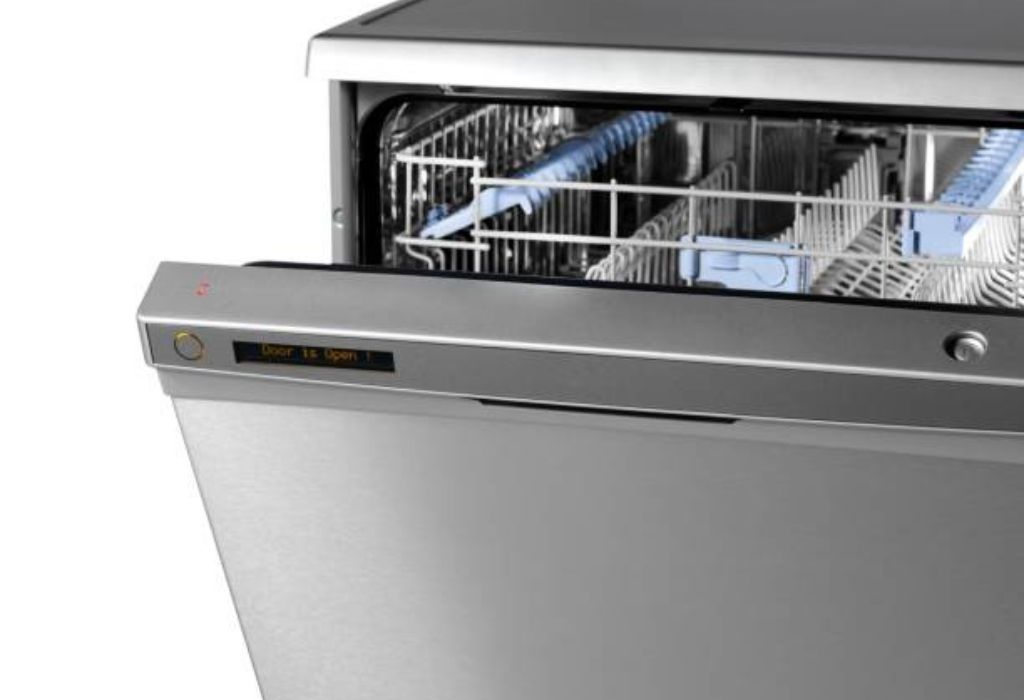
Control panels freeze when electrical surges occur. Sudden power fluctuations confuse the control board. A reset usually restores normal function.
Moisture inside the panel also creates freezing. Steam enters through small gaps. This blocks touch signals temporarily.
Software glitches can cause freezing during cycles. Some dishwashers lock their panels to protect the system. Once the issue passes, the panel returns to normal.
Corroded wiring slows communication between the buttons and the board. This creates unresponsive behavior. A technician may need to inspect the wiring.
Loose ribbon cables inside the panel disconnect buttons from the processor. This causes certain keys to stop responding. Reconnecting the cable restores function.
Old panels freeze more frequently. Wear and tear makes the sensors less accurate. Replacing the control panel solves the issue permanently.
Common Mistakes People Make When Unlocking Dishwasher Panels
One common mistake is pressing buttons too quickly. Touch panels require steady pressure. Quick tapping may not register.
Another mistake is holding the wrong button. Many brands have similar layouts. The correct button may not be obvious at first glance.
Some people unplug the dishwasher repeatedly. This can damage the control board. Resetting once is enough.
Others press multiple buttons at the same time. This may trigger different modes. Stick to the correct unlocking sequence.
Using wet hands also affects unlocking. Moisture confuses touch sensors. Dry hands and a dry panel work best.
People often overlook error indicators. If an error exists, unlocking will not work. Fixing the problem first restores control.
Why does my dishwasher beep but not unlock
This usually means the lock is still active or the wrong button is being pressed.
Does pressing hard help unlock the panel
No, gentle steady pressure works better than force.
Should I unlock before fixing an error code
No, solve the error first because the panel will not unlock during faults.
Can I damage the panel by pressing too long
No, holding the button longer is safe and often required.
Does the dishwasher brand change the unlock method
Yes, each brand uses a slightly different key sequence.
When To Call A Technician For Control Panel Issues
If the dishwasher does not respond after multiple unlocking attempts, a technician is needed. This may mean the control panel hardware is failing. Professional diagnosis prevents further damage.
If the display flickers or shows random lights, the board may be faulty. This requires specialized repair. Replacing the board may be the best solution.
If moisture enters the control system repeatedly, the seal may be damaged. Professionals can replace the front panel to prevent future issues. This protects the internal sensors.
If unlocking works but the dishwasher will not start a cycle, deeper electrical problems may exist. The technician can test voltage levels. This ensures every part receives proper power.
If the dishwasher shows error codes you cannot identify, a technician can interpret them. Some codes require detailed service. This prevents unnecessary part replacement.
If your dishwasher is old and freezing often, the control panel may be worn. Replacing it restores reliability. A technician can recommend the correct part.
How To Prevent Dishwasher Control Panels From Locking Again
Avoid pressing buttons with wet fingers. Moisture causes accidental activation. Keeping the panel dry prevents accidental locking.
Clean the control panel regularly. Food residue interferes with touch sensors. A soft cloth keeps the panel working smoothly.
Teach children about the lock feature. Many locks activate when a button is held too long. Awareness prevents accidental activation.
Close the dishwasher door gently. Slamming the door may activate sensors. This can trigger protective lock modes.
Do not overload the top rack. Items sticking out may press buttons when closing the door. This starts the lock sequence unintentionally.
Check for steam buildup during cycles. If steam escapes near the panel, inspect the door gasket. A proper seal prevents moisture from entering the controls.
Does wiping the panel prevent locking issues
Yes, it keeps sensors clear and responsive.
Can children activate the lock accidentally
Yes, pressing buttons too long often enables the lock.
Should I leave the door open after a cycle
Yes, this reduces steam near the control panel.
Do older panels lock more often
Yes, older sensors become less accurate over time.
Can magnets on the door cause locking
No, magnets do not interfere with the control sensors.
Safety Tips Before Trying To Unlock A Dishwasher
Always unplug the dishwasher if you suspect electrical problems. This prevents shock risk. Safety should always come before repair attempts.
Wear dry gloves if handling the panel after a leak. Water near electrical components can be dangerous. Taking precautions avoids accidents.
Avoid spraying cleaners directly on the panel. Liquids may seep inside. This damages sensors and triggers unwanted locks.
If the panel is hot to the touch, wait before unlocking. Heat may indicate internal issues. Trying to unlock too soon may worsen the problem.
Check the door latch before unlocking. A faulty latch prevents proper unlocking. Ensuring a secure latch helps restore control.
If the dishwasher sits near water leaks, inspect the area first. Water exposure can cause electrical hazards. Clear the space before working on the machine.
Is it safe to press buttons repeatedly while locked
No, repeated pressing can confuse the system further.
Can I use tools to pry the panel open
No, this causes damage that requires expensive repair.
Should I unplug the dishwasher before resetting
Yes, unplugging ensures a full electrical reset.
Can a hot control panel cause locking
Yes, overheating may freeze the control board.
Should I avoid using harsh cleaners on the panel
Yes, harsh chemicals damage the touch surface.
What To Avoid When Trying To Unlock The Control Panel
Avoid tapping the panel rapidly. This creates false signals. Slow and steady pressure works better.
Do not press all buttons at once. This may activate hidden modes. It also confuses the system.
Avoid restarting cycles while locked. The dishwasher may enter emergency modes. This worsens the situation.
Do not ignore flashing lights. These lights indicate specific issues. Understanding them helps identify the cause.
Avoid wiping the panel with abrasive cloths. Scratches disrupt touch sensors. A soft cloth keeps the panel working properly.
Do not spray water directly on the panel. Moisture causes short term freezing. Keep liquids away from the control area.
Final Troubleshooting Checklist Before Calling A Technician
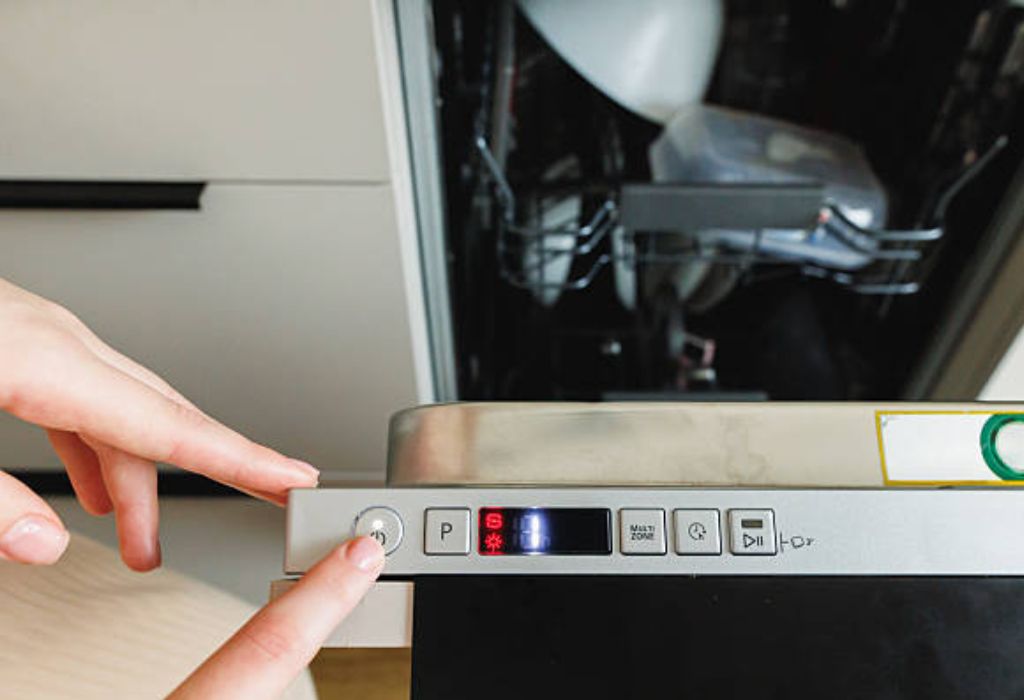
Check which button controls the lock. Every brand places it differently. Identifying it prevents mistakes.
Try the unlocking sequence again. Hold the key for at least three seconds. Some models need a longer press.
Reset the dishwasher by removing power. This clears temporary glitches. Power resets solve many lock issues.
Wipe the control panel. Dirt, steam or moisture block touches. Cleaning restores sensitivity.
Check the door latch condition. A loose latch prevents unlocking. Adjusting it often solves the issue.
Inspect for error codes. If an error appears, solving it is necessary. Unlocking will not work until errors clear.
How long should I hold the unlock button
Three to ten seconds is enough for most models.
Will the dishwasher unlock after a power reset
Yes, most models unlock automatically.
Do all dishwashers have a control lock
Most modern models do, but older units may not.
Can error codes prevent unlocking
Yes, unresolved error codes block control functions.
Does the unlock process vary by model
Yes, each brand has its own unlocking sequence.
Conclusion
A locked dishwasher control panel can feel confusing at first, especially when the buttons stop responding without warning. Once you understand how locks work, the unlocking process becomes simple and predictable.
Control locks exist to prevent accidental presses, protect cycles and keep the dishwasher operating safely.
The unlocking process usually involves holding a specific button for several seconds. When that does not work, cleaning moisture, resetting power or checking the door latch often restores normal function.
Knowing the exact steps saves time and prevents frustration, especially during busy moments in the kitchen.
This guide explained every detail about control lock behavior, causes, troubleshooting steps and brand specific unlocking methods. With this knowledge, you can handle lock issues confidently and avoid unnecessary technician visits.
Regular care, dry hands and proper cleaning help prevent future lock problems so your dishwasher continues working smoothly and safely.

I’m Emma J. Caldwell, the founder, lead writer, and home-cooking enthusiast behind KitchenGuideCo.com. With a background in culinary arts and over a decade of cooking experience in both professional and personal kitchens, I created this platform to demystify recipes, offer smart kitchen gadget reviews, and guide readers through meal prep with confidence and clarity.