After a long family dinner, the kitchen is full of plates, glasses, and pots waiting to be cleaned. You load your Samsung dishwasher, hit the start button, and expect spotless dishes, only to find cloudy glassware and greasy pans at the end.
It’s frustrating, especially when you’re using one of the most advanced dishwashers on the market.
The truth is, even a high-tech Samsung dishwasher can’t perform perfectly if it’s not loaded correctly. Every rack, spray arm, and detergent slot is designed with a specific function.
When dishes are placed in the wrong way, water flow and detergent distribution become unbalanced, leading to poor cleaning.
Samsung’s dishwashers come with cutting-edge features like AutoRelease drying, SmartThings connectivity, and adjustable racks. But to take full advantage of these innovations, you need to understand how to position your dishes for maximum efficiency.
Proper loading not only improves cleaning results but also protects delicate items and extends your dishwasher’s lifespan.
This complete guide will show you exactly how to load your Samsung dishwasher step by step. You’ll learn where to place each type of dish, how to organize utensils, and which cycles deliver the best results.
Follow these instructions, and your dishwasher will reward you with sparkling, streak-free dishes every single time.
Understanding Your Samsung Dishwasher Design
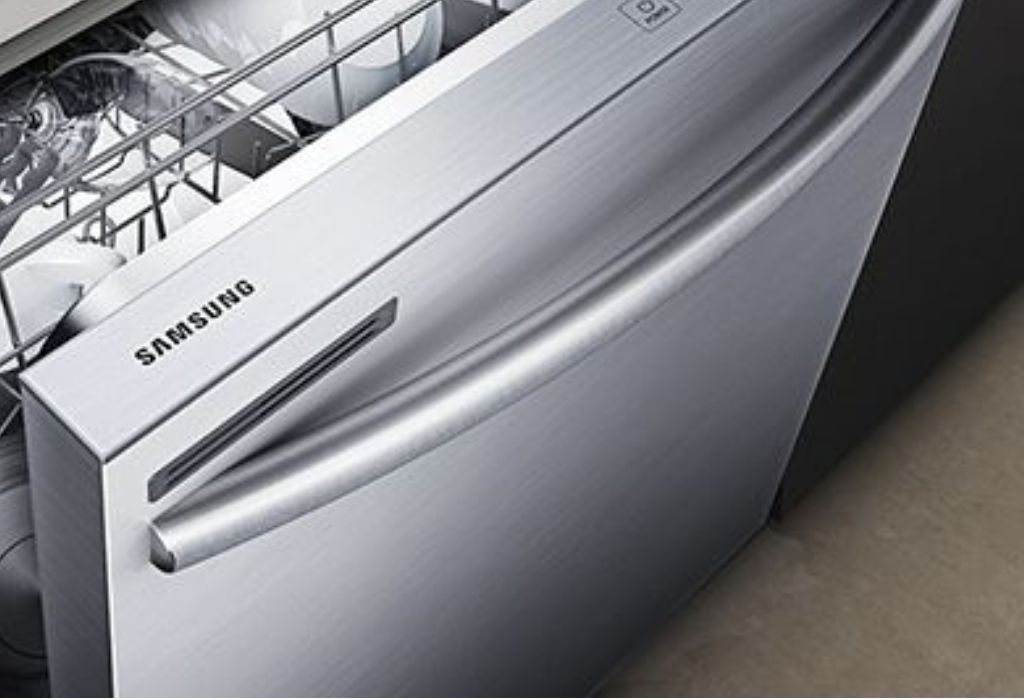
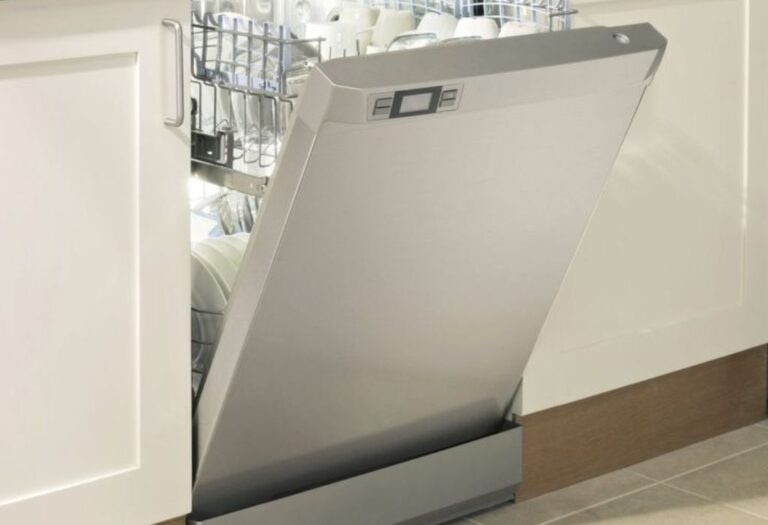
Samsung dishwashers are designed with advanced cleaning technology and intuitive rack layouts. Inside, you’ll find upper and lower racks, a silverware basket, and rotating spray arms that reach every corner. Each zone is engineered to optimize water flow and detergent contact for spotless results.
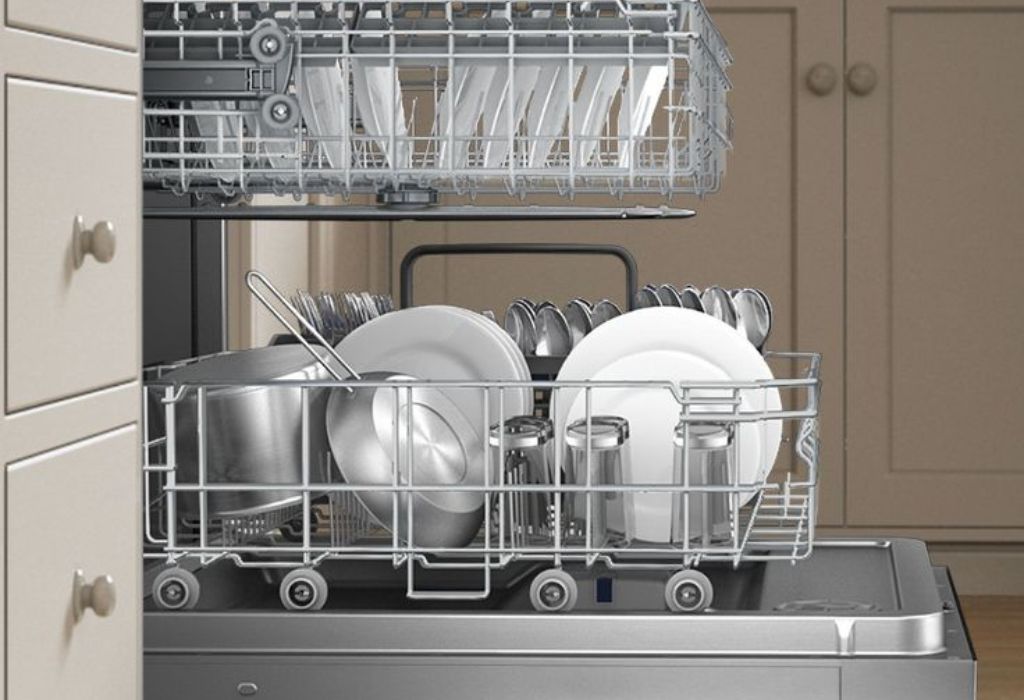
The lower rack is built to handle heavy cookware such as pots, pans, and dinner plates. The upper rack is ideal for cups, bowls, and smaller items that require gentler cleaning. The silverware basket and cutlery tray ensure utensils are separated and cleaned thoroughly.
Spray arms spin under high water pressure to dislodge stubborn food particles. If they’re blocked by oversized dishes, water cannot reach all surfaces effectively. Keeping arms clear is essential for balanced washing power.
Samsung’s digital sensors detect water turbidity and automatically adjust the wash cycle. However, when items overlap or block spray jets, these sensors can’t measure properly. Correct placement ensures the sensors function efficiently.
The detergent dispenser releases soap at a precise moment in the wash cycle. Overloaded or tightly packed racks may block the detergent door from opening. Understanding this mechanical timing helps avoid half-clean dishes.
The interior design encourages systematic loading rather than random stacking. Once you understand this structure, you’ll maximize cleaning results while saving water and energy.
Preparing Dishes Before Loading
Proper preparation determines how well your Samsung dishwasher performs. Always start by scraping off large food pieces and seeds from plates and bowls. This keeps filters clean and spray arms unobstructed.
Avoid pre-rinsing under running water unless the food is extremely sticky. Samsung’s soil sensors work best when they detect residue on dishes. Over-rinsing can trick sensors into shortening cycles.
Soak burnt pans or dishes with baked-on sauce before loading. Warm water loosens residue and prevents blockages. This small effort ensures complete cleaning during the first cycle.
Separate fragile glassware from heavy cookware. Doing so prevents scratches and chipping during washing. Lightweight items should always go on the top rack.
Make sure plastics are labeled dishwasher-safe. Soft plastic items may melt or warp from high heat. Keeping them on the top rack reduces exposure to direct heating.
Avoid putting sharp knives or wooden utensils inside. The detergent’s strength and water temperature can damage or dull them. Wash those items manually for better longevity.
When you prepare dishes correctly, the entire wash becomes smoother. It’s the foundation of spotless, energy-efficient cleaning.
Loading the Lower Rack Efficiently
The lower rack is meant for large, durable items such as plates, pots, and pans. Position them facing inward so spray jets can hit their dirtiest sides. Avoid stacking or overlapping dishes to maintain water flow.
Place dinner plates between the tines evenly spaced apart. Lean them slightly toward the center for optimal rinsing. Flat surfaces should never touch to prevent water blockage.
Heavy cookware like pots and casseroles should sit along the sides or back. This keeps the center area open for smaller items. Balanced loading also prevents rattling noise during washing.
Large cutting boards or baking trays should be positioned at the outermost edges. Make sure they don’t block the detergent dispenser. Always spin the spray arm by hand to confirm it moves freely before closing the door.
Avoid mixing tall pots with shallow plates directly above them. This arrangement may trap detergent or prevent drainage. Keeping items organized helps the spray arms reach every surface.
Plastic containers labeled dishwasher-safe can go on the lower rack but keep them away from heating elements. Their lightweight design can cause them to flip, so secure them with rack holders if available.
Mastering lower rack loading ensures your Samsung dishwasher uses its full cleaning power. Once you get the pattern right, the results are consistently shiny and residue-free.
Loading the Upper Rack and Cutlery Basket
The upper rack handles lighter dishes such as cups, bowls, glasses, and small plates. Always angle items downward to allow water to drain completely. Avoid placing anything directly over another dish.
If your Samsung dishwasher has adjustable tines, use them to accommodate different shapes. Tilting bowls and cups slightly toward the center improves rinse coverage. Proper spacing eliminates water spots on glassware.
Glasses should sit between the prongs rather than on them to avoid cracking. Leave space between each item to prevent vibration-related damage. Using the dedicated glass rack ensures stable placement.
The silverware basket on most Samsung models sits at the bottom corner. Mix forks, spoons, and knives to prevent nesting. Keep sharp blades facing downward for safety.
If you have a third-rack or cutlery tray, spread utensils evenly without overlapping. This arrangement enhances drying and ensures every piece gets cleaned individually. Don’t overload the tray; water must pass freely through.
Light plastic lids, baby bottle parts, or small measuring cups can go on the upper rack. Secure them properly to stop them from moving around during cycles. The gentle top spray ensures delicate items stay safe.
Following these tips allows your upper rack and cutlery basket to perform efficiently. Every item will come out sparkling, spot-free, and completely dry.
Adjusting Rack Height for Flexible Space
Samsung’s adjustable rack design lets you create more space for tall items. Pull the levers on each side to lower or raise the upper rack. This flexibility accommodates wine glasses or tall pots without forcing them in awkwardly.
Lowering the rack gives you extra clearance for stemware and tall mugs. Raising it creates more room below for large pots and platters. Adjust the height only when the rack is empty to prevent strain on the rails.
Many users forget this simple feature, leading to improper loading. Forcing oversized items without adjusting height can damage the rack and block spray arms. The correct adjustment ensures free movement of water jets.
This flexibility also helps when loading bulkier items such as baking trays or mixing bowls. It balances the overall space between the two racks. Efficient spacing improves wash coverage and air circulation for drying.
When finished, lock both sides evenly to keep the rack stable. Uneven locking can make it slide out unexpectedly during loading. Always test the movement before starting the wash.
Learning to use the height adjustment feature effectively saves time and reduces frustration. It turns your Samsung dishwasher into a customizable cleaning system for all dish sizes.
Using Samsung’s AutoRelease Door for Better Drying
Many Samsung dishwashers feature AutoRelease technology that opens the door automatically at the end of a cycle. This allows steam to escape and speeds up air drying. Knowing how to position your dishes enhances this feature’s effectiveness.
Keep items angled to avoid water pooling on flat surfaces when the door opens. This helps hot air circulate evenly through the racks. Avoid placing plastic items directly near the front where steam is hottest.
The AutoRelease function activates near the end of the drying cycle. If the area around your dishwasher is confined, ensure there’s enough clearance for the door to open slightly. This small space makes a big difference in drying results.
Do not block the vent on the top edge of the door. It releases moisture during drying. Obstruction can cause condensation to form on dishes and the door interior.
If your kitchen has humidity issues, open nearby windows slightly during the AutoRelease phase. Allowing fresh air helps prevent water stains and keeps the interior dry.
Remember, drying efficiency depends on correct loading and spacing. Proper airflow between dishes enhances the AutoRelease system’s performance every time.
Why does my Samsung dishwasher door open automatically at the end?
It’s part of the AutoRelease Dry feature, which improves drying by releasing steam.
Can I disable the AutoRelease function?
Yes, some models allow disabling it in the settings menu or by holding specific buttons.
Does AutoRelease work on all cycles?
It usually works on Normal, Auto, and Heavy cycles but may stay off during Express modes.
Is it safe for nearby cabinets?
Yes, but keep a few inches of clearance to prevent steam damage over time.
Why are my plastics still wet after AutoRelease?
Plastic retains moisture longer; place them on the upper rack and open the door wider afterward.
Organizing Large Cookware and Plastic Items
Large cookware should always go on the bottom rack to maintain stability. Angle them slightly for better water access and drainage. Ensure no handles obstruct spray arm movement.
Group similar shapes together, such as baking trays or large pots, for efficient stacking. Keep them tilted to prevent water from collecting inside. Do not stack smaller items inside larger ones.
Plastic containers are lightweight and tend to flip under pressure. Place them securely or use special holders if available. Avoid placing them near the heating element to prevent warping.
If you’re washing lids, put them along the sides where water pressure is gentler. Keeping them separate ensures detergent reaches all areas. Items with rubber seals should be hand-washed for longer life.
For greasy cookware, run a Heavy or Auto cycle. Using high heat ensures grease breaks down completely. Combine this with a rinse aid for spotless finishing.
By organizing properly, you maintain even water flow and heat distribution. Every dish, large or small, will emerge perfectly clean without extra scrubbing.
Loading Glassware and Delicate Dishes
Delicate glassware needs careful positioning to prevent damage. Place each glass upside down and slightly tilted for full drainage. Avoid overcrowding to let spray arms reach every surface.
Samsung dishwashers include glass supports or clips on certain models. Use them to hold fragile items securely during cycles. This prevents breakage caused by vibration.
Fine china or crystal should only go through gentle cycles. Avoid exposing them to high temperatures. Always check the manufacturer’s label before loading.
Keep cups and small bowls angled rather than flat. This prevents water from pooling and forming spots. Spacing between delicate items allows for better airflow during drying.
Don’t mix heavy pots with fragile dishes in the same load. Their vibration can cause chips or cracks in thinner glassware. Load similar materials together for consistent cleaning.
Dry delicate items promptly after washing to prevent mineral stains. The AutoRelease feature helps but manual drying ensures long-term clarity.
Proper arrangement and caution extend the life of your glassware. Your dishes will stay crystal clear after every cycle.
Choosing the Right Wash Cycle and Options
Samsung dishwashers offer multiple wash programs for different needs. The Auto cycle uses sensors to adjust temperature and duration based on soil level. The Normal cycle is ideal for everyday dishes.
The Heavy cycle targets pots and pans with tough grease. Express 60 offers faster cleaning for lightly soiled dishes but uses more water. Delicate mode protects fragile glassware from heat damage.
The Self Clean option maintains internal hygiene by flushing residue and bacteria. Run it monthly for better performance. Add dishwasher cleaner or vinegar to boost results.
Selecting High Temp Wash increases water temperature for sanitization. Combine it with Heated Dry or AutoRelease for spotless finishes. Each option enhances specific washing outcomes.
Avoid choosing cycles randomly. Match the program to your dish type and dirt level. Doing so saves energy and extends your machine’s life.
Understanding your cycle options helps you customize performance. With one button press, your Samsung dishwasher can handle everything from fragile glasses to greasy pans.
Using SmartThings and Wi-Fi Features
Many Samsung dishwashers connect to SmartThings, Samsung’s smart home app. This feature allows remote control and performance monitoring. You can start, pause, or schedule wash cycles from your phone.
SmartThings sends alerts for filter cleaning, detergent refills, or maintenance reminders. These notifications help maintain peak performance. It’s especially convenient for busy households.
The app also lets you view cycle history and energy usage. Tracking these stats helps reduce utility costs over time. You can identify which cycles consume the most water or electricity.
Voice integration with assistants like Alexa or Google Home adds hands-free convenience. Simply say, “Start dishwasher,” and it begins immediately. This turns everyday chores into smart automation.
Smart diagnostics detect problems early, displaying error codes with explanations. This reduces service calls and repair costs. Real-time support makes troubleshooting easy for any user.
Using SmartThings transforms your Samsung dishwasher into a connected appliance. Technology and efficiency merge to create a smarter kitchen experience.
Can I control my dishwasher remotely through Wi-Fi?
Yes, using the SmartThings app, you can start, stop, or monitor your cycles remotely.
Do I need Wi-Fi for basic functions?
No, the dishwasher works fine without Wi-Fi; smart control is an optional convenience.
Does SmartThings alert me about errors?
Yes, it sends push notifications if maintenance or errors occur.
Can I connect the dishwasher to voice assistants?
Yes, it integrates with Alexa and Google Assistant for voice commands.
Is SmartThings setup complicated?
Not at all; download the app, press Wi-Fi on the panel, and follow simple prompts.
Maintenance and Filter Cleaning
Regular maintenance keeps your Samsung dishwasher in top shape. Remove and rinse the filter weekly to prevent buildup. Food particles can block water flow and cause odor.
Check spray arms for clogs and rinse under warm water. Small debris can reduce pressure and affect cleaning quality. Clean nozzles gently using a toothpick.
Run the Self Clean cycle every month with Samsung dishwasher cleaner. It removes hidden grease and prevents limescale. Consistent cleaning keeps performance steady.
Inspect the door seals and wipe them with a soft cloth. Mold and residue often accumulate in these areas. Keeping seals clean prevents leaks and foul smells.
Avoid using regular dish soap inside the dishwasher. It produces excessive suds and can overflow. Stick to high-quality tablets or Samsung-approved detergent.
Leave the door slightly open after each wash. This allows moisture to escape and prevents mold growth. A few simple steps can extend your machine’s life significantly.
Final Pre-Wash Checks and Safety Tips
Before pressing Start, confirm every item is securely placed. Spin the spray arms by hand to ensure they rotate freely. Verify detergent and rinse aid are filled correctly.
Check the water connection and make sure there are no leaks. A quick inspection prevents damage to your floor or cabinets. Tighten loose hoses if necessary.
Make sure no utensil sticks out from the racks. This can block the door from closing completely. A secure door seal ensures no water escapes during operation.
Don’t overload the dishwasher. Extra dishes can block detergent flow and restrict water jets. Leaving small gaps between items helps achieve spotless results.
Select the cycle appropriate for your load. Using the wrong one wastes energy or leaves stains behind. Always double-check settings before starting.
Finally, ensure your kitchen area is safe and free from obstructions. Keep children away while the dishwasher operates. Safety and efficiency go hand in hand for daily use.
Why does my dishwasher make loud noises during cycles?
It may be due to items hitting spray arms; rearrange dishes and check alignment.
Why is detergent left in the dispenser?
Blocked racks or an overloaded door may prevent the detergent cap from opening fully.
How often should I clean the filter?
Weekly cleaning is ideal, especially if you use your dishwasher daily.
Can I open the door mid-cycle?
Yes, but open slowly to avoid hot steam; the cycle resumes when closed again.
Why are dishes cloudy after washing?
Hard water minerals cause cloudiness; use rinse aid or a descaler monthly.
Broad Conclusion
Loading a Samsung dishwasher correctly is about more than convenience; it’s about maximizing performance. Each rack, spray arm, and sensor is designed to work in harmony. When you follow the proper steps, your dishes come out spotless with minimal effort.
Understanding rack placement, cycle selection, and smart features ensures consistent cleaning results. Combining good habits with regular maintenance extends your machine’s life. Even small adjustments in dish placement or cycle choice can make a visible difference.
By applying these techniques, your Samsung dishwasher will always perform at its best. Every plate, cup, and utensil will shine, saving you time and effort in the kitchen.

I’m Emma J. Caldwell, the founder, lead writer, and home-cooking enthusiast behind KitchenGuideCo.com. With a background in culinary arts and over a decade of cooking experience in both professional and personal kitchens, I created this platform to demystify recipes, offer smart kitchen gadget reviews, and guide readers through meal prep with confidence and clarity.