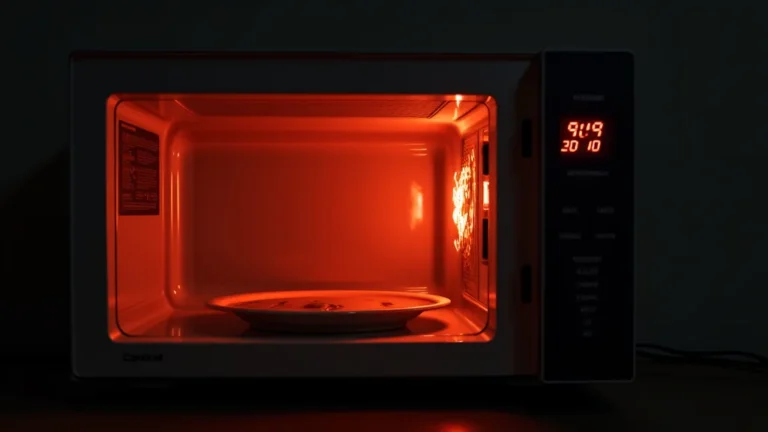
Having trouble with your microwave? It’s a common problem! Many folks get confused when their microwave acts up, especially with all those buttons and settings. But don’t worry, figuring out how to reset microwave oven doesn’t have to be hard. This guide will walk you through simple steps to fix common issues, so you can get back to heating your food quickly. We’ll explore some easy tricks and tips to get your microwave working again right away. Let’s get started!
Key Takeaways
- Learn the main reasons a microwave might need a reset.
- Discover the simplest steps to reboot your microwave.
- Find out how to reset the timer on different microwave models.
- Explore troubleshooting tips for common microwave problems.
- Understand what to do if a basic reset doesn’t solve the issue.
- Become a microwave expert with step-by-step guidance.
Why Your Microwave Might Need a Reset
Microwaves, like all electronics, can sometimes have glitches. These problems can happen for various reasons, from power surges to accidental button presses. A reset is often the easiest fix. It’s like giving your microwave a fresh start, clearing out any minor errors. Common issues include the microwave stopping mid-cycle, the display freezing, or the buttons not responding. A reset can often solve these problems quickly. Understanding these potential causes can help you avoid problems in the future. Proper usage and care can also keep your microwave running smoothly.
Power Fluctuations and Surges
One primary reason a microwave might need a reset is due to power-related issues. Power surges, which are sudden increases in electrical voltage, can damage or disrupt the delicate electronics inside your microwave. Similarly, power fluctuations, which are less dramatic but still unstable power conditions, can cause the microwave to malfunction. These issues might lead to the microwave freezing, the timer not working, or the heating element becoming unreliable. Power outages, even very brief ones, can also trigger these problems. These power problems can create unexpected errors in the microwave’s memory, leading to the need for a reset.
- Power Surges: These abrupt voltage spikes can damage sensitive electronic components. For example, a lightning strike near your home could send a surge through your electrical system. This can affect the microwave’s circuit board or internal systems, causing a failure. The microwave might stop working altogether or behave erratically.
- Power Fluctuations: Consistent low or high voltage can slowly damage the electronics. These fluctuations are often caused by the heavy use of appliances in the house, or issues in the power supply. A microwave might experience intermittent shutdowns or display errors.
- Outages: Even short power outages can disrupt the settings. When power is restored, the microwave’s internal clock or program may reset to factory settings. In some models, the microwave might lock up. This necessitates a reset to restore its functions.
Button Errors and User Input Problems
Sometimes, the issue isn’t internal but rather stems from how we use the microwave. User error can lead to a microwave needing a reset. Accidental button presses, especially with the more complex models, can trigger a variety of problems. For instance, you might inadvertently set a cooking time for an extended period or activate a child-safety lock. Another source of problems arises from the wear and tear of the buttons. Over time, buttons can become unresponsive or stick, leading to incorrect commands. These issues confuse the microwave’s programming. Cleaning the control panel can remove dirt, which helps to ensure the buttons work properly.
- Accidental Button Presses: Microwave ovens have many buttons, from cooking times to power levels. Accidentally hitting the wrong button can completely change the way the microwave works. This can result in unexpected outcomes, like cooking for far too long. A reset clears any wrong settings and returns it to its default configuration.
- Child Safety Locks: Many microwaves have a child safety lock to prevent accidental use. If this is activated, the microwave will not start. A reset is needed to turn this feature off.
- Button Wear and Tear: Over time, the buttons on the microwave may wear out. Buttons that stick or don’t respond can also lead to issues. This can result in the microwave not starting or performing tasks incorrectly. Replacing the keypad may be needed if a reset does not help.
Internal Software and Hardware Issues
More complex issues that might cause a microwave to need a reset involve both software and hardware. The microwave’s internal software, or firmware, can experience glitches. This can be caused by software bugs or corrupted files. The hardware components inside the microwave also impact its performance. Faulty components like the magnetron (the component that generates microwaves) can lead to the need for a reset. These problems can cause the microwave to stop working or to display error messages. Resetting can clear temporary errors. However, if the issue persists, the problem may be more serious, requiring a repair.
- Software Glitches: Similar to a computer, microwaves have internal software. If this software has a glitch, the microwave can freeze or behave incorrectly. These issues may be the result of a software bug or a corrupted program. A reset helps clear the temporary errors, allowing the software to restart.
- Hardware Failures: Some hardware problems, such as a faulty magnetron, can cause the microwave to stop functioning. The magnetron generates the microwaves used to heat food. If this component fails, the microwave may not heat food. A reset may not fix a hardware problem. You may need to have the unit serviced or replaced.
- Internal Component Overheating: Microwaves can overheat if used for prolonged periods or when used with unsuitable containers. Overheating can cause damage to the internal components. This leads to the microwave requiring a reset or not working properly. Ensure proper ventilation. Only use containers safe for microwave use.
Simple Steps: How to Reset Microwave Oven
The simplest methods for resetting a microwave often involve easy steps. These steps involve cutting power, which forces the microwave to reboot. It’s like turning your computer off and on again, to clear any minor issues. You can try a quick reset by unplugging the microwave or switching off the circuit breaker. This removes power from the unit, clearing any temporary errors in its memory. This action forces the microwave to reset when power is restored. If the microwave has a control lock, you may need to unlock it before attempting a reset. Different microwave models may require slight variations to the resetting methods.
Unplugging the Microwave
The most basic way to reset your microwave is to unplug it from the power outlet. This simple act cuts off the power supply, forcing the appliance to shut down completely. This action resets all of its internal settings and clears any temporary glitches that may be causing problems. After unplugging the microwave, wait for about one to two minutes before plugging it back in. This pause allows the microwave’s internal components to completely discharge. Once the power is restored, you can test the microwave to see if it is working correctly. This simple method works for most issues, like a frozen display or unresponsive buttons. Remember that this method does not resolve issues stemming from physical damage or serious electrical faults.
- Locate the Plug: Find the power cord and outlet. The microwave plug is typically behind or on the side of the unit. Ensure the power cord is accessible, making it easier to unplug.
- Unplug the Microwave: Disconnect the power cord from the electrical outlet. Remove the plug with a firm grip. Ensure it’s not damaged. This will cut off the power supply, enabling a reset.
- Wait a Few Minutes: After unplugging, wait for 1-2 minutes. This brief delay allows all the internal capacitors to discharge. This will reset the microwave’s settings completely.
Using the Circuit Breaker
If unplugging the microwave is not possible or easy, you can also reset it using the circuit breaker. The circuit breaker controls the electricity to the microwave. Locate the breaker in your electrical panel. This panel is usually located in a basement, garage, or utility room. Find the specific breaker that controls the microwave’s outlet. It should be labeled or identified in some way. Turn the breaker to the ‘off’ position. Then, wait for about one or two minutes. Finally, flip the breaker back to the ‘on’ position to restore power to the microwave. This method is effective in cutting power to the microwave. It provides the same benefits as unplugging. This method is especially helpful if the microwave is hard to reach.
- Find Your Electrical Panel: The electrical panel is usually in a basement, garage, or utility room. It houses the circuit breakers.
- Identify the Right Breaker: Identify the breaker. It might be labeled ‘microwave’ or be for a specific outlet. You can also test each one by turning it off and seeing if the microwave loses power.
- Turn the Breaker Off and On: Turn the breaker off, wait for 1-2 minutes, and then turn it back on. This resets the microwave.
Checking and Resetting the Control Lock
Many microwaves come with a control lock feature, also known as a child lock. This feature prevents accidental use. If the control lock is enabled, the microwave will not operate, and the display will often show a lock symbol. Before attempting a reset, you must first check the status of the control lock. Typically, this function is enabled or disabled by pressing a specific button or sequence of buttons on the control panel. Consult your microwave’s manual to find out how to unlock your specific model. Once the lock is disabled, try resetting the microwave by unplugging it or using the circuit breaker method. This unlocks the control panel and allows you to test the microwave’s functions.
- Locate the Lock Button: Find the button. This is usually marked with a key or lock symbol. The manual will show where it is.
- Disable the Lock: Follow the instructions in the manual to disable the lock. Usually, you press and hold the lock button for a few seconds. Some models require a sequence of button presses.
- Test the Microwave: Once the lock is off, test the microwave. If it still doesn’t work, try unplugging it or using the breaker to reset it.
Troubleshooting Common Microwave Problems
When you’re trying to figure out how to reset microwave oven, you’ll encounter different problems. Some issues are easier to fix than others. One common problem is that the microwave won’t start at all. There may be no response when you press the buttons. Another common issue is that the microwave stops working midway through a cooking cycle. It may shut down unexpectedly, with the display flashing an error message. Also, the microwave might not heat food properly. This means the food is still cold or only partially heated. You can perform a few basic troubleshooting steps to diagnose these issues. Many problems can be resolved with simple reset techniques.
Microwave Doesn’t Start or Power On
If your microwave doesn’t start, there are a few things to check. First, make sure the microwave is getting power. Check if it is plugged into a working outlet. You can test the outlet by plugging in another appliance. If the outlet is working, and the microwave still doesn’t power on, try resetting the microwave. Unplug it, wait a few minutes, and plug it back in. If the microwave has a control lock, make sure it is disabled. If a reset does not work, there might be a problem with the internal components. Check the fuse. The fuse protects the microwave from electrical surges. If the fuse is blown, you’ll need to replace it. A blown fuse often means there’s an underlying electrical issue. If all of these steps fail, you may require a professional repair.
- Check the Power Source: The first step is to ensure the microwave is plugged into a working outlet. Test the outlet by plugging in a different appliance.
- Reset the Microwave: Unplug the microwave for 1-2 minutes and plug it back in. Or, you can use the circuit breaker method to reset it.
- Check the Fuse: Microwaves have a fuse to protect them from power surges. If the fuse has blown, you need to replace it. This is usually located near the power cord.
Microwave Stops Mid-Cycle
If the microwave stops working in the middle of a cooking cycle, it can be frustrating. This can often be due to overheating, a power surge, or a software glitch. Overheating is likely if you’re cooking something for an extended time or using an unsuitable container. This causes the internal components to shut down to prevent damage. A power surge can also interrupt the cycle, corrupting internal settings. Try unplugging the microwave for a few minutes. This allows it to reset and cool down. Check the container you’re using. Make sure it is microwave-safe. If the problem continues, the issue might be with the magnetron or another internal component, which would need professional attention.
- Allow the Microwave to Cool: If the microwave has been running for a long time, let it cool down. Unplug it. Wait for 10-15 minutes before plugging it back in.
- Check for Power Issues: Look for any signs of a power surge or fluctuation. If the lights flickered or other appliances were affected, power may be the issue. A reset may fix the problem.
- Inspect the Container: Ensure that you are using microwave-safe dishes and containers. Metal or other unsuitable materials can cause arcing or overheating.
Microwave Not Heating Food
A microwave that doesn’t heat food properly might have several causes. The most common problem is a faulty magnetron, the component that generates microwaves. The magnetron may have worn out or become damaged. Another cause might be a problem with the high-voltage transformer or diode, which supply power to the magnetron. Before assuming the worst, check a few basics. First, ensure you are setting the cooking time and power level correctly. Make sure you are using microwave-safe dishes. Also, try resetting the microwave by unplugging it or using the circuit breaker. If these steps do not work, it might be a more serious problem. A professional appliance technician can help diagnose the issue.
- Check Cooking Settings: Double-check the cooking time and power level. Make sure that the settings are appropriate for the food you are trying to heat.
- Test the Magnetron: There is a way to test the magnetron. Place a cup of water in the microwave and run it for a minute. If the water does not heat up, the magnetron may not be working. It may need to be replaced.
- Examine the High-Voltage Components: If a reset does not work, there might be a problem with the transformer or diode. You would need to check these components with a multimeter, which would be difficult. A professional technician should do this.
What to Do If Reset Doesn’t Fix It
Sometimes, the simple reset methods won’t resolve your microwave’s problems. If this happens, it might indicate a more serious issue that requires additional steps. If you have already tried unplugging, using the circuit breaker, and checking the control lock, and the microwave still isn’t working, you have to look deeper. The next step is to examine the microwave’s user manual. It can provide specific troubleshooting steps tailored to your model. If the problem remains, the issue may involve faulty internal components or wiring issues. At this point, you should consider contacting a qualified appliance repair technician. A professional can diagnose the exact problem and provide appropriate repairs.
- Consult the User Manual: Your microwave’s manual includes troubleshooting steps. These steps are specific to your model. It can provide instructions for resolving more complex issues.
- Inspect for Visible Damage: Open the microwave. Check for visible signs of damage, such as burnt components, loose wires, or strange odors. Do not attempt to repair the microwave. Always unplug it before inspecting it.
- Contact a Repair Technician: If you are not comfortable with DIY repairs or if the problem persists, contact a qualified appliance repair technician. A professional has the experience and tools to diagnose the problem accurately.
Frequently Asked Questions
Question: Why does my microwave keep shutting off after a few seconds?
Answer: Your microwave might shut off quickly due to overheating, a power surge, or a faulty component. Try unplugging it and waiting for 15-20 minutes, then plug it back in. If the problem continues, there might be an issue with the magnetron or another internal part.
Question: What should I do if my microwave’s display is frozen?
Answer: If your microwave’s display is frozen, the easiest first step is to unplug it for a couple of minutes to reset it. Then, try plugging it back in. Check the control lock to make sure it is not enabled.
Question: Can I fix a microwave myself, or do I need a professional?
Answer: For minor problems like resetting and button issues, you might be able to fix the microwave yourself. However, if the problem involves electrical components or internal parts, it’s best to call a professional repair technician to avoid injury.
Question: My microwave is sparking inside. What should I do?
Answer: If your microwave is sparking inside, stop using it immediately. This is usually a sign of serious problems. Unplug the microwave. Check for any damage to the waveguide cover or inside the microwave. Contact a repair technician as soon as possible.
Question: How often should I clean my microwave?
Answer: Clean your microwave regularly, preferably after each use. Wipe up spills and splatters immediately. Clean the interior and exterior to remove grime and keep the microwave working well. This keeps your appliance running efficiently.
Final Thoughts
Knowing how to reset microwave oven can save you time and money. Simple solutions, such as unplugging the microwave or using the circuit breaker, often fix common issues like a frozen display or unresponsive buttons. Remember that these methods clear temporary errors, but they won’t address more serious hardware problems. Always start with the simple methods before moving on to more complex steps, like consulting the user manual. If your microwave is still acting up after these steps, it might be time to call a professional repair service. By understanding these simple techniques, you’re well-equipped to keep your microwave running smoothly and enjoy quick, easy meals. So, the next time your microwave gives you trouble, you’ll know exactly what to do.

I’m Emma J. Caldwell, the founder, lead writer, and home-cooking enthusiast behind KitchenGuideCo.com. With a background in culinary arts and over a decade of cooking experience in both professional and personal kitchens, I created this platform to demystify recipes, offer smart kitchen gadget reviews, and guide readers through meal prep with confidence and clarity.