Having your microwave clock constantly reset can be annoying, especially when you need to quickly heat up leftovers! This happens to many people, making it a common issue, particularly for those new to appliance troubleshooting. The good news is, fixing why microwave clock resets is usually pretty simple. This post will break down the most common causes and give you easy, step-by-step solutions to get your microwave clock working correctly again. Let’s find out how!
Key Takeaways
- You will learn the most common reasons why microwave clocks reset.
- You can identify problems related to power surges and outages.
- You will discover solutions for fixing reset issues.
- You can understand the importance of a properly functioning microwave clock.
- You will gain insight into how to troubleshoot appliance problems.
- You can prevent your microwave clock from resetting in the future.
Common Causes of a Resetting Microwave Clock
The microwave clock resetting itself is more than just a minor inconvenience; it’s a sign that something isn’t right. Often, it’s connected to issues in the power supply or internal components. Exploring these root causes can provide a clear route to resolution. Let’s examine the most frequent culprits that lead to that frustrating blinking “0:00” on your microwave display. This information empowers you to address the problem directly, and it also helps avoid future occurrences, preserving the life of your appliance.
Power Fluctuations and Outages
Power irregularities are the leading cause of microwave clock resets. Even a brief power blip, hardly noticeable to you, can disrupt the microwave’s internal clock. This is because the clock relies on a steady electrical current to maintain the correct time. When the power supply is compromised, the clock loses its timing information. This happens because the memory chip that stores the time gets wiped when the power is interrupted. The microwave then reverts to its default setting, causing the clock to reset. This is a common problem for those living in areas with unstable power grids or during storms.
-
Power Surges: A power surge, a sudden increase in voltage, can overload the internal circuits of the microwave. This can damage the clock’s components, leading to a reset. Power surges can be caused by lightning strikes, issues in the power grid, or even appliances turning on and off in your home. These events can happen without warning and can lead to immediate clock resets and potentially more serious problems.
This highlights why surge protectors are helpful to protect your appliances. -
Brief Power Interruptions: Even a momentary power outage can cause the clock to reset. These brief interruptions, often lasting only a fraction of a second, are enough to disrupt the microwave’s internal clock. The clock loses its stored data during this time, resulting in a reset. Such interruptions are common during thunderstorms or when there are problems with your local power grid.
These events can often go unnoticed, but the microwave clock will give away what occurred. -
Brownouts: Brownouts occur when the voltage drops below the normal level, usually due to high demand on the power grid. They don’t cut off power completely, but they can still disrupt sensitive electronics like the microwave clock. A brownout can destabilize the clock’s power supply, causing it to reset. They can damage appliance electronics.
Brownouts are more prevalent during periods of high energy use, like summer months.
Internal Component Issues
Beyond external power issues, internal component failures can also make the microwave clock reset. Problems with the clock’s power supply, the internal memory, or even the control panel can all be to blame. Pinpointing these internal issues requires a different approach to troubleshooting. If power fluctuations aren’t the issue, it’s time to explore the components inside the microwave. These issues can often be more challenging to resolve and may require professional assistance. Let’s explore the inner workings that could lead to your clock’s reset behavior.
-
Faulty Clock Circuitry: The microwave’s clock is governed by a small circuit board dedicated to timekeeping. If this circuit board, including the clock chip, becomes damaged, the clock won’t be able to retain the correct time. This can be the result of age, overheating, or manufacturing defects. This will cause the clock to reset and may lead to erratic behavior, like freezing or incorrect time displays.
This can be fixed through component replacement. -
Capacitor Failure: Capacitors within the microwave’s power supply store energy to provide a stable power flow to the clock and other components. If a capacitor fails, it can’t regulate the voltage properly, leading to clock resets. Capacitors wear out over time. Signs of failure include bulging or leaking.
This can cause several issues in appliance functions. -
Control Panel Malfunctions: The control panel is how you interact with your microwave, and it contains several components that control the clock. Issues with the buttons, the display, or the internal wiring of the control panel can interfere with the clock’s function. The control panel can become damaged due to overuse, spills, or wear and tear.
If the control panel becomes faulty, the clock may not be able to store or display the time correctly.
The Role of the Power Supply in Microwave Clocks
The power supply unit (PSU) is a critical component of any microwave. It converts the incoming AC power from your wall outlet to the lower voltages needed by the microwave’s internal components, including the clock. A faulty power supply can cause instability in the electrical current, leading to clock resets and other performance issues. The PSU must work consistently to provide a stable, clean power source. Understanding how the power supply affects the clock offers a clearer understanding of why resets occur.
-
DC Voltage Instability: The clock circuit requires a stable DC voltage to function correctly. The PSU provides this DC voltage after converting the AC voltage. If the PSU fails to supply this voltage consistently, the clock may reset. This instability can be caused by failing components inside the PSU, like capacitors and transformers.
A failing PSU may also cause other parts of the microwave to act erratically. -
Transformer Issues: The transformer in the PSU is responsible for reducing the incoming voltage to a usable level for the microwave’s components. If the transformer malfunctions, the voltage provided to the clock could become irregular or insufficient, resulting in clock resets. The transformer can overheat or fail completely, especially in older microwaves.
A damaged transformer can also lead to other issues. -
Rectifier and Filter Problems: After the transformer reduces the voltage, the rectifier and filter circuits in the PSU convert AC to DC and smooth out the voltage. If these components malfunction, the power supplied to the clock may be noisy or unstable, resulting in resets. These components, like diodes and capacitors, can degrade over time.
Problems here can cause the clock to reset even with power stability.
Troubleshooting Steps to Resolve Clock Resets
Now that you know the most common causes of clock resets, you can take steps to fix the problem. Here is a troubleshooting guide, from easy fixes to things that need more attention. Start with the simpler solutions first and move on to the more complex ones if needed. Following these steps helps diagnose the issue and get your microwave clock working as it should.
Initial Checks and Simple Solutions
Before you delve into the technical aspects of your microwave, there are some quick checks and easy solutions you can try. These steps can sometimes resolve the problem without needing to open the microwave or call for repairs. These steps will help you determine the severity of the issue and rule out simpler problems. You can save time and effort by starting with these straightforward methods.
-
Check the Power Supply: Verify the microwave is plugged in securely and that the outlet is working. Try plugging another appliance into the same outlet to ensure it provides power. Sometimes, a loose connection or a faulty outlet is the simplest explanation for a resetting clock.
A functioning outlet is vital. -
Reset the Microwave: Sometimes, the microwave’s internal computer can become temporarily unstable. To reset it, unplug the microwave from the outlet for a few minutes. This process is like rebooting a computer.
Wait a few minutes before plugging it back in. -
Inspect the Power Cord: Examine the power cord for any damage, such as cuts or fraying. Damage to the power cord can interrupt the power supply to the microwave. If you find any damage, do not use the microwave and consider replacing the cord or having it repaired.
Safety is important.
Using a Surge Protector and Other Preventive Measures
Protecting your microwave from power fluctuations can prevent future clock resets and extend its life. Implementing these measures adds an extra layer of defense against electrical damage. Investing in a good surge protector is one of the most effective methods to safeguard against power surges. This proactive approach will help keep your microwave running smoothly and reliably for years.
-
Use a Surge Protector: Plug your microwave into a surge protector to shield it from power spikes. Surge protectors absorb excess voltage during surges and prevent it from reaching the appliance. This is an essential step if you live in an area prone to storms or electrical disturbances.
Consider a surge protector for the rest of your appliances. -
Unplug During Storms: During thunderstorms, it’s best to unplug the microwave. Lightning strikes can cause massive power surges that even a surge protector might not handle. Unplugging the microwave ensures that it isn’t directly exposed to a potential lightning strike.
Protect your other appliances, too. -
Consider a Power Conditioner: If you frequently experience brownouts or unstable power, a power conditioner may be helpful. A power conditioner regulates the voltage and provides a cleaner power supply to your appliances. This can help prevent clock resets and extend the lifespan of your microwave.
Power conditioners can improve the functionality of your appliances.
Advanced Troubleshooting: What to Do If Problems Persist
If the simple solutions don’t work, it’s time to dig deeper. This might involve opening up the microwave and checking internal components, which can be dangerous if you’re not careful. If you don’t feel comfortable, consider calling a professional. They will have the tools and experience to safely diagnose and repair the issue. These advanced steps can help identify and fix more complex problems and get your microwave working correctly.
-
Examine the Internal Components: With the microwave unplugged, carefully inspect the clock circuit board, capacitors, and other components for any signs of damage. Look for burnt components, bulging capacitors, or any loose connections. This requires some technical knowledge, so consult a repair manual or seek professional assistance if you’re not sure.
Safety should be first. -
Test the Power Supply: If you have experience with electronics, you can use a multimeter to test the power supply unit (PSU). Check the output voltages to ensure they’re within the correct range. This helps determine whether the PSU is providing stable power to the clock. Be very careful.
If this seems too advanced, call a professional. -
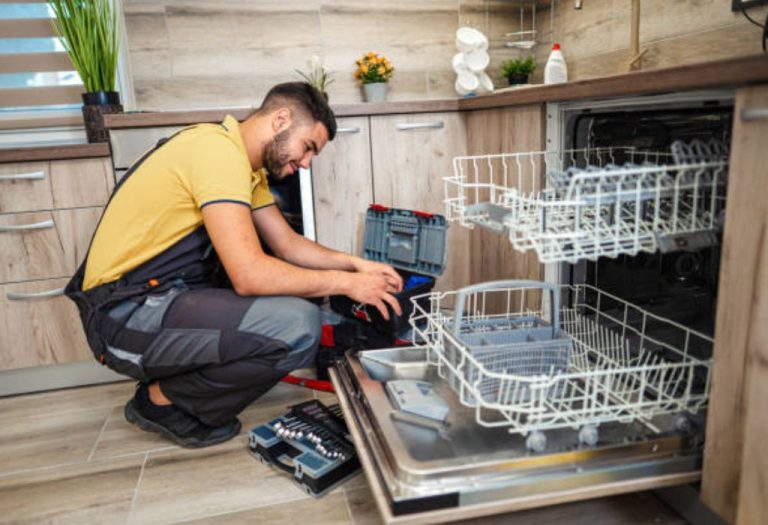
Consider Professional Repair: If you’re not comfortable working with electronics or you’re unsure of how to proceed, it’s best to call a qualified appliance repair technician. They have the knowledge, tools, and experience to safely diagnose and repair your microwave. This can save you time, effort, and possibly prevent further damage to the appliance.
A professional is always a good option.
Frequently Asked Questions
Question: Why does my microwave clock keep resetting after a power outage?
Answer: This is because the microwave’s clock is often powered by a small memory chip that loses its settings when the power is cut. When the power comes back on, the clock resets to its default state.
Question: Can a power surge damage my microwave clock?
Answer: Yes, a power surge can definitely damage the internal components of your microwave, including the clock. This is why using a surge protector is a good idea to protect your appliance.
Question: How can I prevent my microwave clock from resetting?
Answer: Using a surge protector and unplugging your microwave during storms are two of the best ways to prevent your clock from resetting. These measures protect the appliance from power fluctuations.
Question: Is it safe to open and repair my microwave myself?
Answer: Microwaves contain high-voltage components that can be dangerous. It’s best to only open and attempt repairs if you have experience with electronics. If you’re unsure, it’s best to contact a qualified appliance repair technician.
Question: Can I replace the clock myself if it’s broken?
Answer: Replacing the clock can be tricky and requires some technical skills. The exact procedure changes depending on your microwave model. It’s often safer and easier to have a professional handle it.
Final Thoughts
If you’re still experiencing the issue of why microwave clock resets, it’s time to investigate further. You’ve now explored the common reasons why the clock might reset, from power fluctuations to internal component failures. By going through the troubleshooting steps, you can identify and resolve the problem. Remember to start with the simple checks like the power supply and basic resets before moving to more advanced solutions. A surge protector can provide an extra layer of protection, which helps prevent future resets and extends the life of your microwave. With a little effort, you can fix the problem and avoid the annoyance of a constantly resetting clock. You’ll soon be back to heating up your food without having to reset the time!

I’m Emma J. Caldwell, the founder, lead writer, and home-cooking enthusiast behind KitchenGuideCo.com. With a background in culinary arts and over a decade of cooking experience in both professional and personal kitchens, I created this platform to demystify recipes, offer smart kitchen gadget reviews, and guide readers through meal prep with confidence and clarity.